Alwazour Technical
AR Request a quote on WhatsApp
HDMI to DisplayPort Cable
To order

HDMI to DisplayPort Cable

CVT-HDMI-DP

Feeds an HDMI source into a DisplayPort monitor input.

Type
HDMI
Connectors
HDMI / USB-A / DisplayPort
In-depth technical details

HDMI and DisplayPort use different physical-layer signal encoding (TMDS vs DisplayPort's own protocol), so converting between them needs an active format-converter chip, not a passive wire-for-wire adapter -- that is the real reason this cable needs a USB power connection to function.

From its box

Scroll to explore

CEC DDC HPD

End A

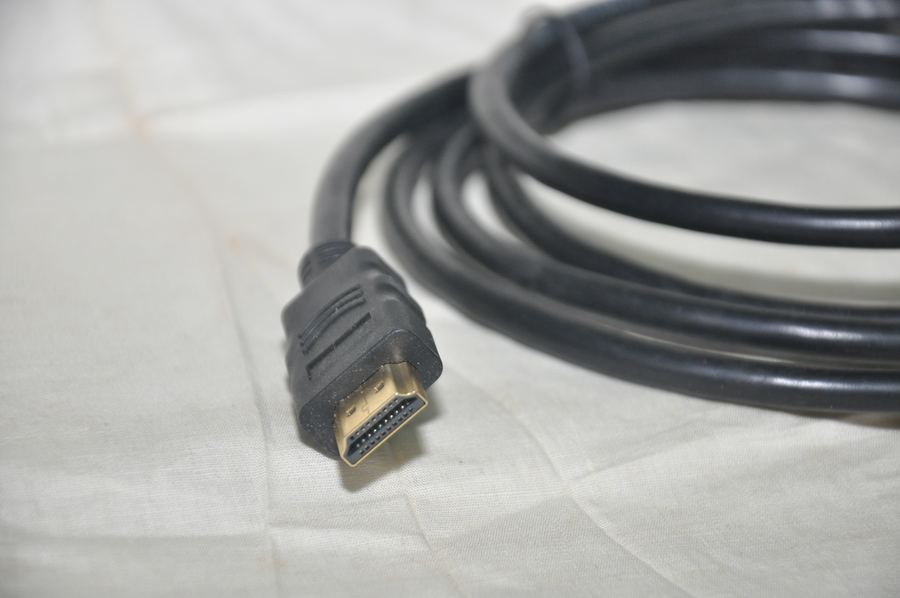
HDMI Type-A

  • 01 19 pins Three differential TMDS pairs carry picture and sound, a fourth carries the clock, and the rest are named-function pins.
  • 02 CEC A single wire that lets one remote control multiple connected devices, e.g. a TV and a receiver.
  • 03 DDC / +5V The EDID handshake -- how the source learns which resolutions the display supports.
  • 04 HPD Hot Plug Detect -- how the source knows a display is connected at all.
  • 05 Metal shell The shell is grounded and wraps the pins, keeping interference out of a very high-frequency signal.
  • 06 Strain-relief boot Stops the wires flexing where they leave the plug — the exact point most cables fail.
  • 07 Outer jacket The outer sheath protecting the conductors inside from abrasion and moisture.

Technical illustration, not a photo of the actual product

VBUS D+/D- GND

End B

USB Type-A

  • 01 VBUS +5V power. Slightly longer than the other pins so it mates first and breaks last.
  • 02 D+ / D− The differential data pair -- the same signal inverted on each wire, so noise cancels at the receiver.
  • 03 GND The common ground -- the voltage reference every other signal is measured against.
  • 04 Metal shell The plastic tongue sits in one half of the shell only, which is why the plug goes in one way up.
  • 05 Strain-relief boot Stops the wires flexing where they leave the plug — the exact point most cables fail.
  • 06 Outer jacket The outer sheath protecting the conductors inside from abrasion and moisture.

Technical illustration, not a photo of the actual product

End C

DisplayPort

  • 01 20 pins Four high-speed lanes send the picture as packets of data rather than as a continuous signal like HDMI.
  • 02 Mechanical latch Two hooks hold it in. Press the release before pulling, or the socket takes the damage.
  • 03 Strain-relief boot Stops the wires flexing where they leave the plug — the exact point most cables fail.
  • 04 Outer jacket The outer sheath protecting the conductors inside from abrasion and moisture.

Technical illustration, not a photo of the actual product

How it works

Active converter cable construction

One end is a genuinely different standard from the other, so wires alone cannot bridge them the way a same-standard cable can. A small circuit inside one of the plugs decodes the incoming signal and re-encodes it as the other standard, usually drawing its power from HDMI's own 5V line or a separate USB lead.

  • 01 Converter chip The actual part that bridges the two standards -- without this chip, wiring the two ends together directly would produce no picture at all.
  • 02 Chip power The chip needs power to run, usually pulled from HDMI's own 5V line or an extra USB connector.
  • 03 Outer jacket Protects everything inside mechanically. It plays no electrical role.

Technical illustration, not a photo of the actual product

From the published standard

How it works

HDMI and DisplayPort are both digital, but they use different signalling protocols — HDMI sends a constant TMDS-encoded stream, DisplayPort sends packetised data over micro-packets. That difference means a simple wire cannot convert between them; the cable needs a real conversion chip to rebuild the signal, which is why this cable carries an extra USB-A connector — to power that chip. Direction matters: this cable feeds an HDMI source into a display's DisplayPort input, not the other way round.

Conversion
Active — needs a chip, not passive wiring
Power
USB-A connector powers the conversion chip
Direction
One way only — HDMI source into a DisplayPort input

This information comes from published sources about this type of product, not from the supplier.

Applications

Technical specifications

TypeHDMI
ConnectorsHDMI / USB-A / DisplayPort

Not sure this is the right part?

Ask on WhatsApp, and get an answer from a team that actually knows the stock.

Request a quote on WhatsApp
To order Request a quote on WhatsApp
WhatsApp

Type to search