Alwazour Technical
AR Request a quote on WhatsApp
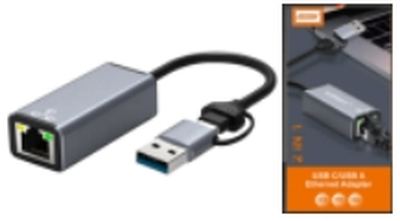
USB-C to RJ45 Gigabit Adapter
In stock

USB-C to RJ45 Gigabit Adapter

USB-LAN-1G

Adds a wired gigabit network port to a computer that has no RJ45 socket.

Type
Converter
Connectors
USB-C / RJ45
In-depth technical details

USB-C has 24 pins, and its real distinguishing feature is symmetry: 4 VBUS + 4 GND pins (for reversibility and higher current), 2 CC pins (only one active at a time -- the actual mechanism behind plugging in either way, and how Power Delivery negotiation happens), plus SuperSpeed differential pairs that can carry USB 3.x data or, in Alt Mode, DisplayPort video. Cat5e/Cat6 RJ45 cabling uses one of two equivalent wiring standards, T568A or T568B (they differ only in which pair sits on pins 1-2 vs 3-6) -- performance is identical as long as both ends of the same cable use the same standard.

End A

USB Type-C

  • 01 24 pins, reversible The pins are laid out with rotational symmetry, so either way up gives the same connection. That is why there is no wrong way round.
  • 02 CC negotiation lines The two ends use these to agree voltage and current before any power flows — what makes 100 W charging safe.
  • 03 Oval shell The rounded oval spreads insertion stress and survives being plugged in far more times than older shapes.
  • 04 Strain-relief boot Stops the wires flexing where they leave the plug — the exact point most cables fail.
  • 05 Outer jacket The outer sheath protecting the conductors inside from abrasion and moisture.

Technical illustration, not a photo of the actual product

T568A / T568B

End B

RJ45 (8P8C)

  • 01 8 gold contacts The eight blades pierce the wire insulation to touch the copper directly — four pairs, two for transmit and two for receive.
  • 02 Locking clip Snaps inside the socket so vibration cannot pull the plug out. A snapped clip is the number-one cause of intermittent network drops.
  • 03 T568A vs T568B Two equivalent wiring standards: T568A puts the green pair on pins 1-2 and orange on 3-6; T568B swaps them. Performance is identical as long as both ends of the same cable use the same standard.
  • 04 Strain-relief boot Stops the wires flexing where they leave the plug — the exact point most cables fail.
  • 05 Outer jacket The outer sheath protecting the conductors inside from abrasion and moisture.

Technical illustration, not a photo of the actual product

USB-C to RJ45 Gigabit Adapter

Where this fits in the system

Type
Converter
Connectors
USB-C / RJ45

From the published standard

How it works

The adapter puts a full Ethernet chip inside a small body outside the computer, so the system sees it as an ordinary network card through the USB port. USB 3.0's bandwidth is enough (and more) for real gigabit throughput; USB 2.0 caps real-world speed below 1000 Mbps even on a device labelled gigabit.

Function
Adds a wired Ethernet port over USB
USB 2.0 vs 3.0
USB 2.0 bottlenecks real gigabit throughput; USB 3.0 does not

This information comes from published sources about this type of product, not from the supplier.

Technical specifications

TypeConverter
ConnectorsUSB-C / RJ45

Not sure this is the right part?

Ask on WhatsApp, and get an answer from a team that actually knows the stock.

Request a quote on WhatsApp
In stock Request a quote on WhatsApp
WhatsApp

Type to search