 Alwazour Technical
Alwazour Technical
Alwazour Technical
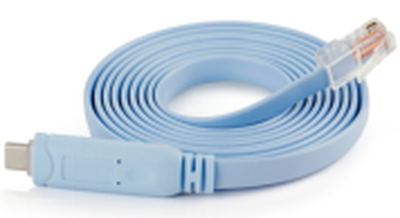
CON-USB-C-RJ45
Management cable that connects a laptop to the console port on a switch or router. FT232R+ZT213 chipset.
USB-C has 24 pins, and its real distinguishing feature is symmetry: 4 VBUS + 4 GND pins (for reversibility and higher current), 2 CC pins (only one active at a time -- the actual mechanism behind plugging in either way, and how Power Delivery negotiation happens), plus SuperSpeed differential pairs that can carry USB 3.x data or, in Alt Mode, DisplayPort video. Cat5e/Cat6 RJ45 cabling uses one of two equivalent wiring standards, T568A or T568B (they differ only in which pair sits on pins 1-2 vs 3-6) -- performance is identical as long as both ends of the same cable use the same standard.
From its box
Scroll to explore
End A
Technical illustration, not a photo of the actual product
End B
Technical illustration, not a photo of the actual product
How it works
The data pair is twisted and works differentially, like network cable. The power wires are thicker because they carry current, and their thickness is what really decides whether a cable charges fast.
Technical illustration, not a photo of the actual product
From the published standard
A console cable connects a computer to the management port of a switch or router. The connector is RJ45 but the signal is not networking: it is a serial port with a manufacturer-specific pinout. This is the port used when a device is brand new with no configuration, or when network access has been lost, which is why it stays necessary despite being old technology.
This information comes from published sources about this type of product, not from the supplier.
| Type | Adapter |
|---|---|
| Length | 1.8 m |
| Connectors | USB-C / RJ45 |
Ask on WhatsApp, and get an answer from a team that actually knows the stock.
Request a quote on WhatsApp